

An older phone can usually connect to a Wi-Fi 7 router, but the router cannot add Multi-Link Operation (MLO) to that phone. If you upgrade a weak router, an older phone might still benefit from better coverage or placement. That is a reason to compare the hardware and the layout of your home, not a reason to pay extra for MLO on a phone that cannot use it.
Quick answer: If an old phone is slow in one room but quick near the router, address coverage and placement first. A Wi-Fi 7 label does not change what the phone’s radio supports.
What MLO changes when both devices support it
MLO allows a compatible router and device to coordinate more than one wireless link. Depending on the implementation, the device might transmit across multiple links or switch to a less busy link when needed. The potential benefit is not just a higher peak download number: an alternate link can help a supported device avoid waiting on a busy channel. Intel’s Wi-Fi 7 overview distinguishes compatibility with earlier Wi-Fi from the requirements for new features. Do not assume that every Wi-Fi 7 client can combine the same bands or transmit on all links simultaneously.
What your phone gets on a Wi-Fi 7 router
Wi-Fi 5 or regular Wi-Fi 6: it can use the compatible bands and modes advertised by the router, but it gets no Wi-Fi 7 MLO. A regular Wi-Fi 6 phone does not gain access to 6 GHz just because a router has it. Wi-Fi 6E: the phone can use 6 GHz if the router, local rules and configuration allow it, but 6E is not Wi-Fi 7 and does not add MLO. Intel’s 6 GHz compatibility note explains why a Wi-Fi 6 product lacks 6 GHz support.
Wi-Fi 7: check the specs for your exact phone model, region and software version, then check how the router enables MLO. Some routers only expose it through a designated network. A Wi-Fi 7 badge alone does not tell you whether the model has a 6 GHz radio or which links a particular phone can actually use. If an older gadget stops joining after you change the router, check the model’s setup guide for legacy device and security settings before assuming the radio is incompatible.
A five-minute check before spending money
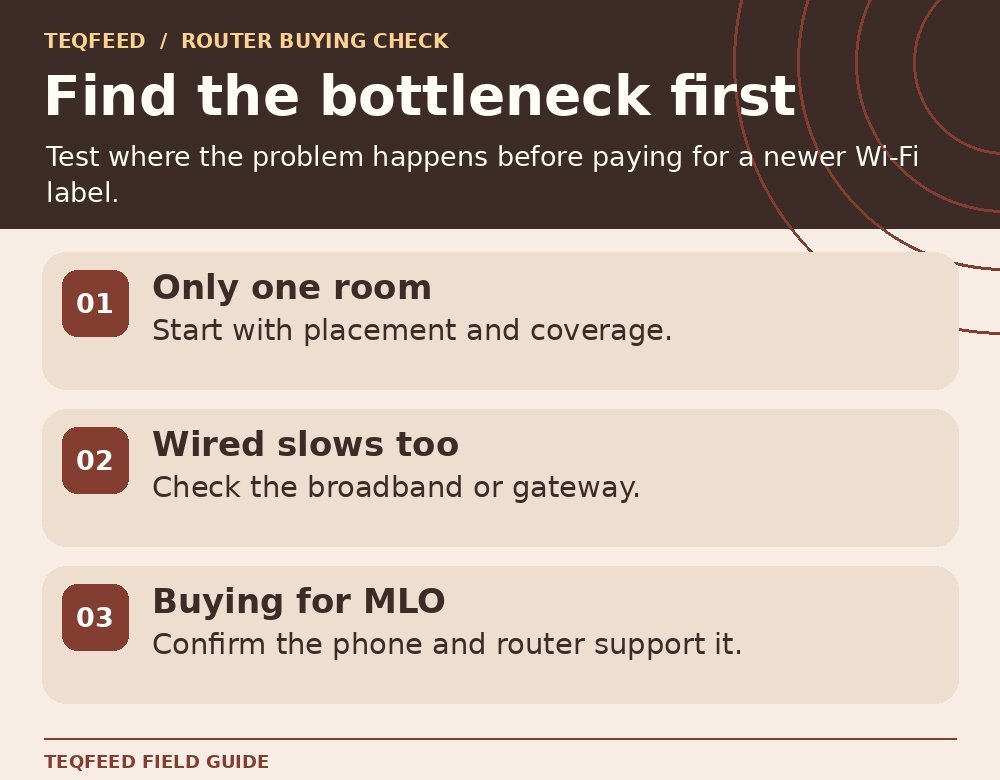
Run the same speed test on your phone beside the router and again in the room where it feels slow. Repeat at roughly the same time of day with VPN off and avoid other large downloads during the test. If the phone performs well nearby but drops sharply through walls, buy for better coverage first: reposition the router, or consider an access point or a mesh node with wired backhaul if your setup allows it. MLO is not a substitute for a strong signal.
If every device is slow even beside the router, compare with a wired device on the same connection before blaming Wi-Fi. If wired internet is also slow, look at the broadband plan, line or gateway first. An upgrade to Wi-Fi 7 makes more sense when you already have compatible devices, regularly move large files locally, or replace a router you would need to replace anyway. For a mainly Wi-Fi 5 or 6 household with one stubborn dead zone, spend on fixing that room rather than on the highest headline speed.
Read the test results before buying a router
Good beside the router, poor in one room: Move the router into the open and retest. If that helps, put money toward coverage before upgrading standards. An access point with a wired connection is worth comparing if you can run a cable to the problem area.
Video calls stutter only when the household is busy: Reproduce the problem during a call, then repeat on a wired device while someone else streams or uploads. If wired calls stutter too, the wireless link may not be the bottleneck. A higher Wi-Fi generation alone would not fix a congested internet connection.
Buying for a specific phone? Check the phone maker’s exact regional spec and the router manual before paying for MLO. Even on Android versions that support it, Android’s Wi-Fi 7 documentation notes that available combinations depend on what the device’s Wi-Fi chip can do.
Watch: What is Multi-Link Operation?
Look for this video in Infineon’s News & highlights section. It explains the technology, not whether your older phone supports it.