

Yes, Gemini Nano can run offline once the required model is available on the device. That does not mean the Gemini chat app, every camera tool, or every AI feature on the phone works offline. If offline access is one reason you’re upgrading, look for support for the task you actually plan to use rather than the word “Gemini” on the box.
Quick answer: A phone listing that mentions Gemini does not prove that the feature you want works offline. Ask about the exact app and task, not just whether the phone supports Galaxy AI or Gemini.
Gemini Nano and the Gemini app are different
Google’s Android developer documentation describes Gemini Nano as a model that runs locally through the Android AICore system service. Developers can use Google’s ML Kit to bring supported on-device tasks into their apps. When one of those features processes an input locally, it doesn’t need to send that input to a remote model just to generate the output.
The Gemini Apps Privacy Hub is a separate reference for interactions with Google’s personal assistant. Don’t apply Nano’s local-processing description to a chat, upload, or feature that relies on the assistant’s online capabilities. Similarly, the presence of one local tool in an app does not mean its backup, sharing, or other AI features are local too.
Check three things before you buy
1. The exact model and configuration. Look up the full model name, including its suffix. Google’s ML Kit device list separates support for direct model access from support for specific text and image tasks such as rewriting and image description. Google also notes that RAM configuration, Android version and AICore updates can affect which Nano model is available. A familiar brand or product family is not enough to establish feature support.
2. The exact app and action. Check whether the app offers the tool in the first place, whether it explicitly calls that tool on-device, and whether your preferred language is supported. Compare “summarize a note that’s already saved on the device” with “summarize a webpage I haven’t opened.” Even if the summary calculation can run locally, the second task may still need a connection to get the page.
3. Whether the model is already installed. Google’s setup documentation distinguishes between a device with an available model and a device that can use the model after downloading it. If you need the feature for a flight or an area with poor reception, finish the app and system setup and try the feature while you still have a reliable connection.
Run a two-minute offline test
On a demo phone or your own device, start online and run the exact feature once with a short, non-sensitive sample. Then turn on airplane mode and verify both Wi-Fi and mobile data are off. Try the same feature on a new sample stored locally so that reopening an earlier result does not count as a pass. For example, try rewriting a different paragraph copied from a local note.
If it works, you’ve verified that action on that particular app, phone and software setup. If it fails, check whether the model download finished and whether the app actually documents offline support. Either way, repeat the check for any other feature that matters to you. Buy for the workflows you can verify, not for the broadest AI headline on the box.
What the offline check actually tells you
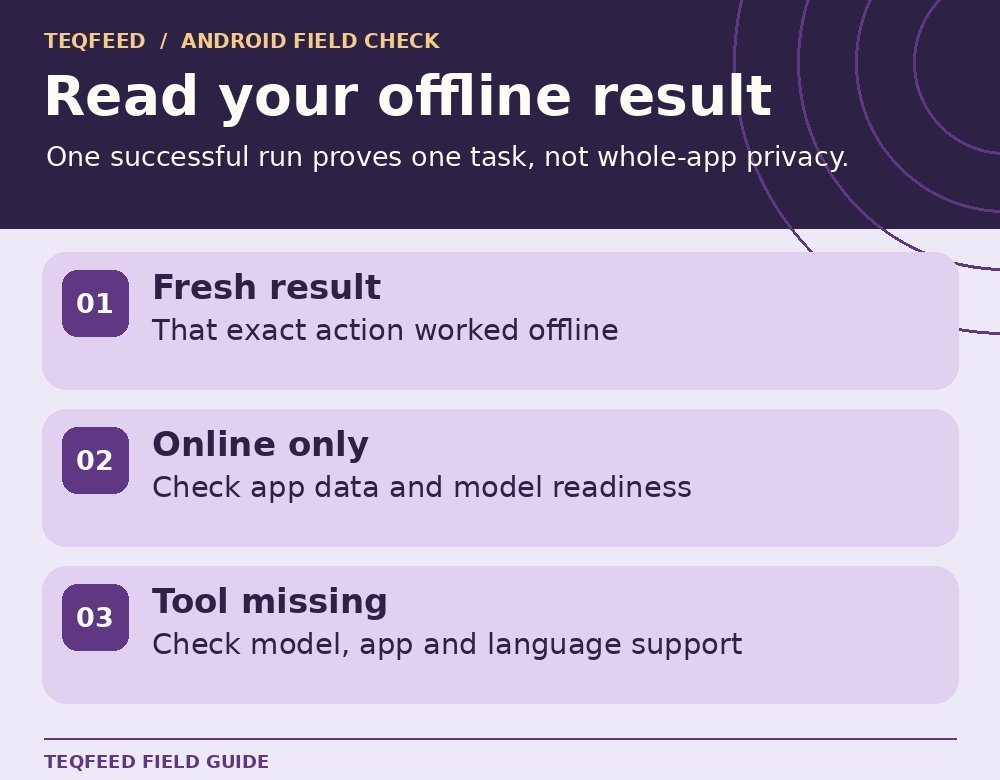
It works offline with input you just wrote: That action worked on your current setup. It does not tell you whether the same app syncs the note or its output once it goes online. It also does not establish that a longer input, a different language, or a separate feature will behave the same way.
It works online but fails offline: Try once more with short text typed on the phone, not an attachment or an online document. If short local text works but the attachment doesn’t, the failure may be in retrieving the attachment rather than generating the answer. If neither works offline, treat the workflow as connection-dependent until the app maker documents otherwise.
The tool is missing even online: Check the exact app version, supported languages, and device model before changing any settings or buying an upgrade. If a sales listing promises offline AI, ask the seller to demonstrate the specific app and action you want on the exact configuration for sale.
Watch: Gemini Nano on Android: Building with on-device gen AI
Google’s Android Developers session shows what apps can do with the on-device model. It’s technical background, not a checklist of supported phones.